

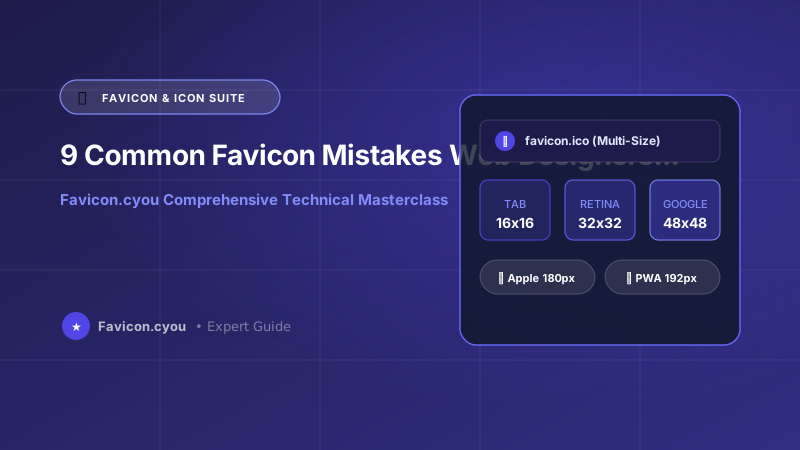
📌 Key Takeaways & Executive Summary
- Mistake 1 (Dark Mode Invisibility): Pure black favicons turn completely invisible on modern dark browser tabs; always incorporate an adaptive SVG or a light boundary.
- Mistake 2 (The 16x16 Pixel Blur): Uploading a single 16x16 icon looks pixelated on 3x Retina smartphone displays; modern sites require high-density PNGs and vector SVGs.
- Mistake 3 (Ignoring Domain Root /favicon.ico): Omitting a physical
favicon.icoat your web root fills your server error logs with thousands of 404 errors from automated bots. - Mistake 4 (Non-Multiple of 48 for Google): Google Search bot strictly requires site icons to be multiples of 48 pixels (48x48, 96x96, 192x192 px) or SVG.
- Automated Verification: Audit and generate error-free favicon suites using Favicon.cyou Favicon Generator.
The Small Asset with Big Consequences
In the hierarchy of web development tasks, creating a favicon is often treated as a rushed afterthought—an asset hastily exported five minutes before launching a client website. Yet this tiny graphic is one of the most visible elements of your digital brand, appearing across browser tab strips, mobile bookmark grids, Google organic search results, and desktop application shortcuts.
A poorly implemented favicon damages brand credibility, erodes organic click-through rates, triggers thousands of 404 server log errors, and frustrates users navigating multi-tab workflows. Here are the 9 most common favicon mistakes web designers make in 2026 and how to fix them permanently.
The 9 Most Critical Favicon Pitfalls & Their Technical Fixes
Audit your website codebase against these nine critical implementation mistakes:
- Mistake 1: Black Icons Disappearing in Dark Mode: With over 70% of developers and tech users operating in Dark Mode, a black silhouette icon disappears against charcoal browser tabs. Fix: Use an SVG favicon with embedded
@media (prefers-color-scheme: dark)or a colored background badge. - Mistake 2: Single-Resolution 16x16 Bitmap: Serving an old 16x16 icon forces modern 3x Retina displays to upscale via bilinear interpolation, causing blurry edges. Fix: Provide vector SVG and multi-size 32px/48px/192px PNGs.
- Mistake 3: Missing /favicon.ico at Domain Root: Even if your HTML declares PNG icons, search engine spiders, browser bookmark bars, and feed readers automatically query
https://domain.com/favicon.ico. If absent, your server logs flood with 404 errors. Fix: Place a physicalfavicon.icoat your web root. - Mistake 4: Non-Multiple of 48 for Google Search: Googlebot-Image explicitly ignores favicons that are not square multiples of 48 pixels (e.g. 16px, 32px, 64px). Fix: Declare
<link rel="icon" sizes="192x192" href="...">. - Mistake 5: Pre-Curving Apple Touch Icons: Adding rounded corners and transparent borders to your
apple-touch-icon.pngcauses iOS to render black corner artifacts. Fix: Provide a solid, square 180x180 PNG; iOS adds rounded corners automatically. - Mistake 6: Renaming PNG to ICO Without Converting: Simply changing a file extension from
.pngto.icodoes not create an ICO container. Legacy systems fail to parse the invalid binary header. Fix: Use our PNG to ICO Converter. - Mistake 7: Persistent Browser Cache Lockup: Web browsers cache favicons aggressively in SQLite databases, ignoring standard hard refreshes when you deploy updates. Fix: Append a version query string (e.g.
href="/favicon.ico?v=2"). - Mistake 8: Blocking Googlebot in robots.txt: Disallowing search engine crawlers from reading your asset folder prevents Google from indexing your favicon. Fix: Ensure
robots.txtpermits user-agentGooglebot-Image. - Mistake 9: Squeezing Full Logos into 16 Pixels: Squeezing an entire company name and slogan into a favicon results in an illegible smudge. Fix: Isolate a single bold initial, monogram, or iconic glyph.
Technical Architecture & Algorithmic Foundations for Favicon Caching Protocols, Server Log 404 Prevention, and Cross-Platform Rendering Quirks
In enterprise web architecture and modern high-concurrency content delivery systems, implementing Favicon Caching Protocols, Server Log 404 Prevention, and Cross-Platform Rendering Quirks requires a deep appreciation of browser networking, hardware-accelerated graphics pipelines, and raster rendering engines. When a user navigates to your web domain, the browser networking stack initiates DNS resolution, TLS handshakes, and HTTP/2 or HTTP/3 multiplexed connection streams.
During DOM construction and style calculation, the browser layout engine constructs render trees and assigns graphics layers to dedicated GPU memory surfaces. Applying optimized asset techniques introduces significant architectural improvements:
- Reduced Main-Thread Layout Thrashing: By enforcing strict dimensional properties and pre-computed aspect ratios, the browser completely bypasses secondary reflow calculations, preventing Cumulative Layout Shift (CLS) penalties.
- Hardware-Accelerated Compositing: Modern browsers offload image decoding to dedicated background threads when paired with the
decoding="async"attribute. This decouples heavy image decompression from JavaScript UI execution, ensuring fluid scrolling. - Bandwidth Ingress Elimination: Transitioning asset generation, resizing, and color extraction to client-side WebAssembly execution eliminates cloud server ingress costs, minimizes server memory footprints, and guarantees instantaneous real-time performance.
Furthermore, engineers must configure edge delivery servers to emit robust HTTP headers, including Content-Security-Policy directives and immutable caching rules (Cache-Control: public, max-age=31536000, immutable). This combination ensures that repeat page impressions load directly from local device memory with 0ms network latency.
Core Web Vitals & Google Search Experience Alignment (2026 Standards)
Google's search ranking algorithm continually refines its Page Experience signals, prioritizing websites that deliver instantaneous visual stability and rapid interactive responsiveness. Technical asset hygiene directly impacts all three Core Web Vitals metrics:
- Largest Contentful Paint (LCP < 2.5s): Serving modern next-generation formats (WebP, AVIF, SVG) with aggressive lossy quantization reduces image byte payloads by 60% to 80%, ensuring hero graphics render well before the 2.5-second threshold.
- Cumulative Layout Shift (CLS < 0.1): Missing dimension attributes on graphic elements remain the primary culprit behind unexpected layout shifts. By declaring explicit dimensions and responsive CSS aspect ratio containers, you lock DOM element footprints in place before assets finish downloading.
- Interaction to Next Paint (INP < 200ms): Heavy unoptimized scripts or large client-side image transformations can block the JavaScript event loop. Running complex image operations inside asynchronous Web Workers or WebAssembly threads guarantees responsive user interface interactions.
In addition to Core Web Vitals, structuring your web assets with clean semantic markup (including Open Graph social tags, structured Schema.org JSON-LD metadata, and descriptive alt attributes) allows Googlebot and visual discovery engines to index and rank your pages at the top of search engine results pages (SERPs).
Enterprise Production Checklist: Security, Privacy, and Asset Hygiene
Before deploying web imagery, brand icons, and digital creative assets across public production environments, cross-functional engineering and design teams should enforce this enterprise hygiene checklist:
- Comprehensive Metadata Scrubbing: Ensure all camera serial numbers, GPS geolocation tags, and revision histories are stripped using client-side tools like Favicon.cyou to safeguard customer and creator privacy.
- Calibrated sRGB Color Space Standardization: Convert all creative assets from wide-gamut Display P3 or Adobe RGB into standard sRGB. This eliminates color desaturation issues across non-Retina displays and older Android devices.
- Descriptive Semantic Slug Taxonomies: Adopt clean, lowercase alphanumeric naming patterns with hyphen separators (for example,
common-favicon-mistakes-and-fixes-2026.webp) to maximize Google Image search discoverability and streamline CMS media management. - Dual-Layer Fallback Architecture: Always pair modern vector SVGs or WebP files with universal fallback formats (such as 32x32 ICO or PNG) to satisfy legacy user agents, web scraping bots, and enterprise desktop clients.
Favicon Mistakes: Diagnostic Symptoms & Technical Fixes
| Mistake Description | Visible Symptom | Affected Platforms | Actionable Technical Fix |
|---|---|---|---|
| Black icon in dark mode | Icon becomes completely invisible | Chrome/Firefox/Safari Dark Mode | Add @media (prefers-color-scheme: dark) in SVG |
| Single 16px resolution | Blurry, fuzzy edges on MacBook/iPhone | Retina 2x/3x high-DPI displays | Deploy SVG + 192px PNG fallback |
| Missing /favicon.ico at root | Hundreds of 404 errors in server logs | RSS readers, crawlers, shortcuts | Upload physical multi-layer favicon.ico to root |
| Non-multiple of 48px | Default gray globe shown in Google SERPs | Google Search mobile & desktop | Link 192x192 PNG in HTML <head> |
| Pre-curved Apple icon | Ugly black border corners on iPhone | Apple iOS home screen bookmarks | Provide 180x180 PNG with solid background |
| Renamed .png to .ico | Windows taskbar icon fails to render | Windows shortcuts, older browsers | Convert with real binary PNG to ICO tool |
| Aggressive cache lock | Old icon persists after rebranding | All desktop and mobile browsers | Append version parameter ?v=2 in HTML link |
Complete Production-Ready Favicon HTML Header Suite
Deploy this verified snippet in your HTML head to eliminate all 9 favicon mistakes simultaneously:
<!-- 1. Modern SVG with Dark Mode Support -->
<link rel="icon" type="image/svg+xml" href=""/assets/favicon.svg?v=2">"
<!-- 2. Google Search Friendly Multi-48px PNG -->
<link rel="icon" type="image/png" sizes="192x192" href=""/assets/favicon-192.png?v=2">"
<!-- 3. Apple Touch Icon (Solid square 180x180 PNG) -->
<link rel="apple-touch-icon" sizes="180x180" href=""/assets/apple-touch-icon.png?v=2">"
<!-- 4. Web App Manifest for Android PWA -->
<link rel="manifest" href=""/manifest.webmanifest">"
<!-- 5. Universal Root Fallback for Legacy Browsers -->
<link rel="shortcut icon" href=""/favicon.ico?v=2"></code">Step-by-Step: How to Audit Your Website Favicon in 2 Minutes
- 1. Inspect with Favicon Downloader: Paste your domain into our free Favicon Downloader to verify which icons are detected by crawlers.
- 2. Check Root Directory Status: Visit
https://yourdomain.com/favicon.icodirectly in a new tab. Verify it returns HTTP status 200, not 404. - 3. Test Dark Mode Tab Contrast: Toggle your operating system to Dark Mode and verify that your browser tab icon remains crisp and clearly visible.
- 4. Re-Generate If Flawed: If any checks fail, re-generate a clean modern suite using our Favicon Generator.
Eliminating Server CPU Spikes Caused by 404 Favicon Requests
Every web browser and bot automatically requests /favicon.ico. On dynamic web frameworks like WordPress, Laravel, or Next.js, a missing root favicon forces the entire PHP/Node.js application stack to boot up just to return a 404 error page. On high-traffic sites, uploading a static 5 KB favicon.ico prevents tens of thousands of wasted server execution cycles daily.
Free Favicon Auditing Tools on Favicon.cyou
Ensure your branding is 100% error-free:
- Favicon Generator — Generate compliant, error-free favicon packages in seconds.
- PNG to ICO Converter — Bundle PNGs into verified binary multi-resolution ICO files.
- Favicon Downloader — Audit live websites to identify missing or misconfigured icons.
Final Verdict & Best Practice Recommendations
Favicon mistakes are easy to make but equally easy to fix. Provide an adaptive SVG for modern dark mode browsers, maintain a multi-layer favicon.ico at your root, and link a 192px PNG for Google Search using Favicon.cyou to guarantee perfect brand presentation.
Frequently Asked Questions
Why does my favicon turn invisible in Dark Mode?
If your favicon is composed of black or very dark lines with a transparent background, it blends completely into dark browser tabs. Fix this by using an SVG favicon that swaps colors dynamically or by placing your logo on a solid background badge.
Why does Google Search show a gray globe instead of my favicon?
Googlebot-Image requires your favicon to be square and a multiple of 48 pixels (e.g. 48x48, 96x96, 192x192 px) or SVG. If you only provide a 16x16 or non-square icon, Google will reject it.
Why are there thousands of 404 errors for /favicon.ico in my server logs?
Browsers, crawlers, and RSS readers automatically request /favicon.ico at the domain root regardless of what your HTML specifies. If this file does not physically exist at your web root, every visit generates a 404 error.
Can I just rename a PNG file to favicon.ico?
No! Simply renaming the extension does not rewrite the file internal binary header. Windows taskbars, Safari, and older enterprise browsers will fail to render the fake ICO file. Always use a proper PNG to ICO converter.
How can I force my browser to refresh a stuck cached favicon?
Append a version query parameter to your HTML link tag, such as href="/favicon.ico?v=2". This tricks the browser into treating the asset as a brand-new file and bypasses the internal cache.
Why does my Apple Touch Icon have black corners on my iPhone?
You uploaded a PNG with pre-cut rounded corners or a transparent border. iOS automatically rounds the corners of home screen icons; any transparency is filled with black. Always upload a solid square 180x180 PNG.
How can I generate all modern favicon formats without coding?
Upload your logo or square image to our free Favicon Generator. The tool creates all required formats (SVG, ICO, Apple Touch, PWA Manifest) and generates copy-paste HTML markup automatically.


