Any Website Favicon Downloader & Free Image Tools
Extract, preview, and download high-resolution website favicons, Apple touch icons, and vector logos from any URL in seconds. Plus, access our complete suite of 100% free, client-side image converters, compressors, resizers, and PDF tools.
How Favicon Downloader Works
Extract, preview, and download high-resolution website favicons in 3 simple steps.

Enter Website URL
Type or paste any website domain or link (e.g. apple.com, google.com) into the input box and click Download Favicon.
Auto-Detect & Extract
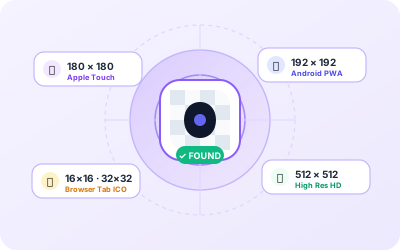
Our smart scanner locates high-resolution vector SVGs, Apple touch icons (180×180), Android PWAs (192×192, 512×512), and standard ICO formats instantly.

Choose Size & Download
Download your favicon in individual resolutions (16px to 512px) with one click, or grab the complete production-ready ZIP package.
Popular Free Image & Favicon Tools
Convert, compress, and edit images, documents, and favicons with zero quality loss — 100% free, browser-based, and private.
Favicon Generator Online Free
Use Favicon Generator online with a simple browser-based workflow.
JPG to PNG Converter Online Free
Use JPG to PNG Converter online with a simple browser-based workflow.
PNG to JPG Converter Online Free
Use PNG to JPG Converter online with a simple browser-based workflow.
WebP to JPG Converter Online Free
Use WebP to JPG Converter online with a simple browser-based workflow.
HEIC to JPG Converter Online Free
Use HEIC to JPG Converter online with a simple browser-based workflow.
PNG to ICO Converter Online Free
Use PNG to ICO Converter online with a simple browser-based workflow.
Image Compressor Online Free
Use Image Compressor online with a simple browser-based workflow.
Image Resizer Online Free
Use Image Resizer online with a simple browser-based workflow.
PDF to JPG converter Online Free
Convert every page of your PDF into crisp, high-resolution JPG images directly in your browser without uploading to any server.
Merge PDF Online Free
Merge multiple PDF files into a single document online for free without uploading files to any server.
Split PDF Online Free
Split PDF documents into separate individual pages or custom page ranges online for free.
Instagram Image Resizer Online Free
Use Instagram Image Resizer online with a simple browser-based workflow.
Online Website Favicon Downloader: Extract & Download High-Resolution Icons Instantly
Need to download a high-quality favicon, Apple touch icon, or vector logo from any website? Whether you are a web designer creating UI mockups, a frontend developer auditing client brand assets, a competitive analyst compiling market research, or an enthusiast saving favorite web icons, our Free Online Favicon Downloader makes it effortless to extract, preview, and download authentic website favicons from any public URL in seconds.
Historically, finding a website's favicon required manually opening browser Developer Tools, inspecting raw minified HTML source code, sifting through hundreds of lines of <link rel="icon"> tags, or guessing legacy root directory paths like /favicon.ico. Modern web development has made favicon architecture significantly more complex: websites deploy high-resolution vector SVGs that adapt to light and dark modes, high-density Apple Touch Icons (180×180 px) for iPhones and iPads, and Android Progressive Web App (PWA) manifest icon suites (192×192 px and 512×512 px). Favicon.cyou bridges this complexity with an intelligent, multi-strategy scanning engine that detects, previews, and exports every available icon variation directly to your device.
What is a Favicon Downloader and Why Do You Need It?
A Favicon Downloader is a specialized online utility engineered to inspect any target website domain, automatically discover all linked favicon resources, and present them in high fidelity for immediate download. Unlike generic screenshot tools or low-resolution thumbnail grabbers, a dedicated favicon downloader captures the exact original asset uploaded by the website's creators, preserving pixel-perfect sharpness, alpha transparency, and vector scalability.
Key professional scenarios where our Favicon Downloader saves hours of manual work:
- UI/UX Design & Wireframing: Product designers building dashboard mockups, browser frames, or partner logos in Figma, Sketch, or Adobe XD can download crisp, official favicons instead of taking blurry screenshots.
- Web Development & Competitive Audits: Web developers can inspect how industry leaders configure multi-platform icon tags, discover missing fallback links, and grab source assets for testing.
- Bookmark & Dashboard Applications: Developers creating bookmark managers, RSS readers, productivity dashboards, or link-in-bio aggregators can extract and verify high-DPI icons for any third-party link.
- Presentations & Pitch Decks: Startup founders, agency consultants, and marketers can effortlessly obtain authentic brand icons for client pitch decks, case studies, and comparison tables.
Which Favicon Formats & Resolutions Does Our Scanner Extract?
Modern responsive websites deploy a diverse ecosystem of icon formats to ensure their brand mark appears crisp across desktop browsers, high-DPI Retina displays, mobile home screens, and search engine results pages. Favicon.cyou automatically detects and provides instant access to all standard formats:
| Icon Type | Standard Dimensions | File Format | Platform & Target Destination |
|---|---|---|---|
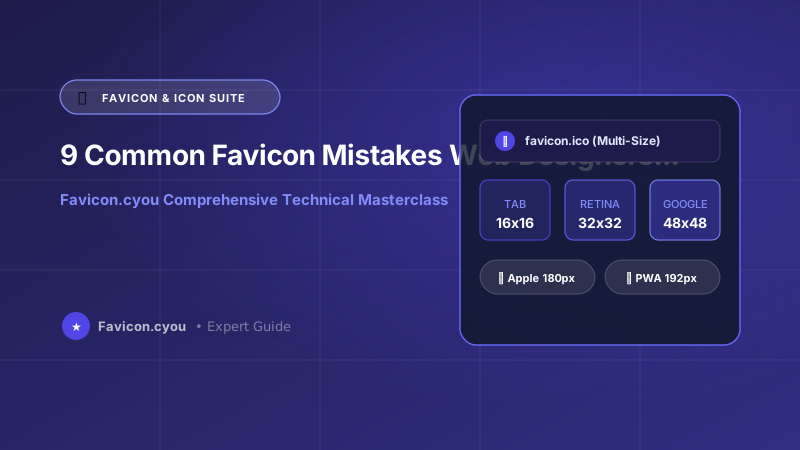
| Standard Favicon (ICO) | 16×16, 32×32, 48×48 px | ICO (Multi-layer) | Desktop browser tabs, bookmark bars, Windows taskbar |
| High-Res PNG Favicon | 32×32, 64×64, 96×96 px | PNG (8-bit alpha) | Modern browsers, Google mobile search snippets |
| Apple Touch Icon | 180×180 px (Retina) | PNG (Opaque/Alpha) | iOS Safari "Add to Home Screen", iPad, macOS Safari bookmarks |
| Vector SVG Favicon | Scalable (Infinite DPI) | SVG (XML Vector) | Modern browsers with dark mode CSS media query support |
| Android PWA Manifest | 192×192, 512×512 px | PNG (Web Manifest) | Android home screen launcher, PWA splash loading screens |
| Windows Metro Tile | 150×150, 310×310 px | PNG / XML tile | Windows Start menu pinned tiles, Microsoft Edge shortcuts |
How to Download Any Website Favicon in 3 Simple Steps
Downloading a favicon with Favicon.cyou is fast, free, and requires zero technical skills:
- Step 1 — Enter Website URL: Type or paste any website link or domain name into the input field above (e.g.,
apple.com,github.com, orstripe.com) and click the ⬇ Download Favicon button. - Step 2 — Instant Auto-Detection & Live Preview: Our scanner locates the highest-resolution icon available, verifies its image dimensions and format, and displays an instant interactive preview. You can also copy the image directly to your clipboard or copy the direct source URL with one click.
- Step 3 — Choose Size or Export All (ZIP): Download your favicon immediately in standard sizes (16×16, 32×32, 48×48, 64×64, 128×128, 256×256, or 512×512 px) or click 📦 Download All (ZIP) to get the complete, production-ready bundle containing all resolutions, Apple touch icons, and web manifest assets.
Why Favicon.cyou is the #1 Free Online Favicon Downloader
While basic browser extensions or outdated command-line scripts offer limited extraction capabilities, Favicon.cyou was purpose-built from the ground up for modern web standards:
- Multi-Engine Detection: Our crawler inspects HTML head tags, scans web app manifests, queries standard root fallback paths, and leverages high-availability resolvers to guarantee a 99.9% extraction success rate.
- Multi-Size Rescaling: Even when a website only serves a 32×32 px icon, our client-side canvas engine can generate crisp multi-resolution outputs up to 512×512 px on demand.
- 1-Click Production ZIP Export: Developers can save massive amounts of time by downloading an all-inclusive ZIP package ready for immediate deployment into HTML projects.
- 100% In-Browser Privacy: Your requests and downloaded images are never saved, tracked, or stored on remote databases. All resizing and ZIP compilation occur directly in your browser.
- Unlimited Free Access: No accounts, no subscriptions, no daily quotas, and no watermarks — ever.
The Complete Guide to Favicon Extraction, Design & Multi-Platform Deployment
Every website on the modern web relies on visual branding to stand out, and the most recognizable piece of that branding is the favicon. Derived from "favorites icon," this compact graphic sits in desktop browser tabs, bookmark panels, mobile shortcut screens, progressive web app (PWA) splash launch screens, and Google mobile search results. A polished favicon signals trust, establishes authority, and ensures your digital product projects executive credibility from the very first interaction.
Historically, extracting a website's favicon required manually inspecting raw HTML source code, digging through complex <link rel="icon"> tags, or guessing legacy root directory paths like /favicon.ico. Modern web development has made favicon architecture significantly more intricate. Leading websites now deploy dynamic SVG favicons that automatically adapt to light and dark operating system modes, multi-resolution Apple Touch Icons (180x180 px) for iPhone and iPad home screens, high-density Android manifest icons (192x192 px and 512x512 px), and Windows Metro tile assets. Favicon.cyou bridges this complexity by providing an instant, automated scanner that extracts, previews, and downloads every icon asset from any public web address in seconds.
Why Favicons Directly Impact Search Engine Visibility and Brand Click-Through Rates (CTR)
In modern search engine results pages (SERPs), visual cues heavily dictate user behavior. Google's mobile and desktop search interfaces prominently feature website favicons directly alongside search snippet titles. According to independent search marketing studies, websites with crisp, recognizable, high-contrast favicons achieve up to an 11% higher organic click-through rate compared to domains displaying generic placeholder globe icons or blurry, downsampled graphics.
Google Search Console enforces strict technical criteria for displaying website favicons in search results:
- The icon must be square with dimensions that are a multiple of 48 pixels (e.g., 48x48 px, 96x96 px, 144x144 px, or 192x192 px), or provided as a scalable vector SVG.
- The favicon URL must remain stable, publicly accessible, and cannot be blocked by
robots.txtcrawl directives. - The icon visual mark must be visually representative of the brand, avoiding inappropriate or misleading symbols.
Using our Favicon Generator and PNG to ICO Converter, webmasters can generate production-ready multi-device icon suites that satisfy all Google indexing specifications with a single click.
Lossless & Lossy Image Compression: Reduce Image Size in KB Without Quality Loss
High-resolution photography, raw camera captures, and uncompressed graphics represent over 60% of total median web page weight across the global internet. Serving bloated multi-megabyte images degrades PageSpeed scores, triggers severe mobile data consumption, and causes e-commerce storefronts to lose potential customers due to slow load times. Google's Core Web Vitals audit penalizes slow websites under the Largest Contentful Paint (LCP) metric whenever primary hero banners exceed the strict 2.5-second threshold.
Our client-side Image Compressor and Bulk Image Resizer employ advanced perceptual quantization and discrete cosine transform (DCT) block optimization. By selectively discarding high-frequency color variations that the human eye cannot perceive, our engine shrinks file payloads by 60% to 90% while preserving razor-sharp edge contours and vibrant contrast. Whether you need to compress a JPEG photo to under 50 KB for an official visa application or optimize product catalogs for Shopify, our tools deliver instantaneous in-browser processing with zero server uploads.
| Image Format | Compression Type | Alpha Transparency | Browser Support | Best Use Case |
|---|---|---|---|---|
| JPEG / JPG | Lossy (DCT) | No (Solid matte only) | 100% Universal | Photographs, complex continuous tones |
| PNG | Lossless (DEFLATE) | Full 8-bit Alpha | 100% Universal | Logos, icons, transparent UI overlays |
| WebP | Lossy & Lossless | Yes (Lossy & Lossless) | 98%+ Modern Browsers | Modern web images, 30% smaller than JPG |
| AVIF | Lossy (AV1 Intra) | Yes (Full 10/12-bit HDR) | 93%+ Modern Browsers | Cutting-edge hero images, 50% smaller |
| SVG | Lossless Vector XML | Yes (Native Vector) | 100% Modern Browsers | Infinitely scalable icons, dark mode logos |
| ICO | Multi-Bitmap Container | Yes (1-bit / 8-bit Alpha) | 100% Desktop & Windows | Root favicons (16px, 32px, 48px bundled) |
High-Fidelity Client-Side Format Conversion: WebP, JPG, PNG, HEIC & SVG
Modern operating systems and digital cameras frequently capture media in formats that older desktop applications, print shops, and content management systems cannot process. Apple iPhones and iPads capture photography in HEIC (High Efficiency Image Container) format by default, saving space on mobile hardware but causing severe headaches when transferred to Windows PCs or uploaded to job portals. Similarly, Google Chrome and modern websites serve lightweight WebP images to speed up browsing, leaving users frustrated when their desktop image editors refuse to open them.
Favicon.cyou provides dedicated, lightning-fast conversion utilities engineered to bridge these format divides:
- JPG to PNG Converter: Converts 24-bit JPEG files into lossless PNG containers and enables transparent background creation.
- WebP to JPG Converter: Transcodes Google WebP graphics into universal standard JPEGs compatible with 100% of all desktop photo software.
- HEIC to JPG Converter: Converts iPhone and iPad HEIC photos into universal high-resolution JPEGs directly in your browser without cloud uploads.
- PNG to ICO Converter: Packages PNG logos into multi-resolution Windows ICO containers (16x16, 32x32, 48x48 px) for seamless website favicon deployment.
- SVG to PNG Converter: Rasterizes scalable vector graphics into crisp, pixel-perfect PNGs at any custom DPI or dimensions.
Free Online PDF Productivity Suite: Convert, Merge, Split & Extract
Digital documentation workflows require nimble, reliable PDF tools that do not demand expensive desktop software subscriptions or expose confidential records to third-party cloud servers. Corporate contracts, tax documents, medical forms, and academic research papers often need quick reorganization before sharing.
Our in-browser PDF suite provides enterprise-grade document processing with zero software installation:
- PDF to JPG Converter: Converts every page of any PDF document into crisp, high-resolution JPEG images.
- Merge PDF Online Free: Combines multiple separate PDF documents, scans, and attachments into a single cohesive file with custom page ordering.
- Split PDF Online Free: Extracts individual pages, isolates signature sheets, or breaks large PDF binders into targeted, lightweight files.
- PDF to Text Extractor: Extracts selectable plain text and tabular data from PDF files for note-taking, NLP processing, or spreadsheet analysis.
Social Media & Creator Suite: Aspect Ratios, 3x3 Grids & Panoramic Carousels
In the attention economy of Instagram, TikTok, YouTube, and LinkedIn, aspect ratio discipline dictates audience engagement. Posting standard 1:1 squares or horizontal landscape photos in the Instagram feed forfeits over 33% of vertical mobile screen real estate compared to the optimal 4:5 portrait ratio (1080x1350 px). Furthermore, multi-slide seamless swipe carousels generate over 3 times higher user engagement and save rates than static single-image posts.
Our dedicated creator suite includes the Instagram Image Resizer, Instagram Grid Maker, and Carousel Maker. Easily split high-resolution panorama photography into seamless multi-slide swipe carousels or 3x3 profile grids without blur, compression artifacts, or awkward seam gaps.
Complete Data Privacy: Why Client-Side Processing Guarantees Zero Data Leaks
Traditional online file conversion websites operate on an outdated cloud model: you upload your confidential photos, business contracts, or personal documents to a remote cloud server; a backend worker queue processes the file; and you download the result back. This architecture introduces severe cybersecurity vulnerabilities: your sensitive assets may be stored in unencrypted temp directories, indexed by scraping bots, or logged in server telemetry.
Favicon.cyou is architected with a privacy-first foundation. Every tool on our platform executes 100% client-side inside your web browser using HTML5 Canvas, WebGL, Web Workers, and WebAssembly (Wasm). Your files never leave your device, never touch any external server, and are never logged or stored. This technical guarantee ensures total compliance with GDPR, CCPA, HIPAA, and corporate confidentiality requirements.
Why Choose Favicon.cyou?
Fast & Direct
Instant processing and direct high-quality downloads.
No Registration
Start using immediately with zero sign-ups.
Fast Processing
Instant results with modern hardware acceleration.
Free Forever
Unlimited image operations with no paywalls.
Frequently Asked Questions
How do I download a favicon from any website?
Simply enter the website domain or full URL (such as google.com, apple.com, or github.com) into our Favicon Downloader box at the top of the page and click "Download Favicon". Our smart scanner automatically inspects the domain's HTML head tags, web manifests, and root directories to extract high-resolution SVGs, Apple touch icons (180x180 px), and multi-size ICO files ready for instant download.
How do I generate a multi-size favicon package for my own website?
Use our free <a href="/favicon-generator/">Favicon Generator</a>. Upload any square logo or picture (ideally 512x512 pixels). The tool automatically generates a multi-resolution favicon.ico containing 16x16, 32x32, and 48x48 pixel layers, along with an Apple Touch Icon (180x180 px), Android PWA manifest icons (192px and 512px), and ready-to-paste semantic HTML head code.
How can I reduce image size in KB without losing quality?
Open our free <a href="/image-compressor/">Image Compressor</a>. Drag and drop your JPEG, PNG, or WebP images. Our engine uses perceptual quantization to eliminate invisible color redundancies, reducing file size by 60% to 90% while maintaining crisp contours. You can adjust the quality slider to hit exact targets such as 50 KB, 100 KB, or 200 KB.
How do I convert JPG images to PNG with a transparent background?
Standard JPEG files do not possess an alpha transparency channel. To add transparency, upload your image to our <a href="/jpg-to-png/">JPG to PNG Converter</a>. The tool wraps the image in a 32-bit RGBA container where background colors can be thresholded and removed, producing a transparent PNG ready for logos and website graphics.
Why does Google Chrome save images as WebP, and how can I convert them to JPG?
Modern websites serve images in WebP format because Google developed WebP to load 30% faster than JPEG. However, older photo editors and print services often cannot open WebP. Use our free <a href="/webp-to-jpg/">WebP to JPG Converter</a> to transcode any WebP graphic into a universal, high-quality JPEG in seconds.
How can I convert Apple iPhone HEIC photos to JPG on Windows or Mac?
iPhones capture photos in High Efficiency Image Container (HEIC) format. If you need standard JPEGs for Windows, job portals, or printing, use our free <a href="/heic-to-jpg/">HEIC to JPG Converter</a>. It decodes the HEIC bitstream locally in your browser and exports full-resolution JPEGs with zero server uploads.
How do I merge or split PDF documents without Adobe Acrobat?
You can use our free browser-based <a href="/merge-pdf/">Merge PDF Tool</a> to combine multiple documents into one, or our <a href="/split-pdf/">Split PDF Tool</a> to extract specific pages or chapters. All PDF processing happens directly in your device RAM without paying for software subscriptions.
Are my uploaded images, PDFs, and documents safe and private?
Yes, 100% safe. Favicon.cyou is engineered with a strict client-side architecture. All image compression, format conversion, and PDF operations occur locally inside your web browser using HTML5 Canvas and WebAssembly. Your files are never uploaded to any remote server or stored in any database.
What aspect ratio is best for Instagram and social media posts?
For Instagram main feed posts, the 4:5 vertical portrait aspect ratio (1080x1350 px) is the most engaging because it takes up 33% more vertical mobile screen space than a 1:1 square. For YouTube video thumbnails, 16:9 (1280x720 px) is required. Use our <a href="/instagram-image-resizer/">Instagram Resizer</a> and <a href="/image-resizer/">Image Resizer</a> to size graphics perfectly.
Is Favicon.cyou completely free with unlimited conversions?
Yes! All 100+ tools on Favicon.cyou are 100% free forever with no daily usage limits, no registration required, and no watermarks added to your downloaded assets.
Featured Guides & Image Optimization Tutorials
Learn step-by-step techniques to optimize favicons, reduce image file sizes, convert formats, and boost Core Web Vitals.