

📌 Key Takeaways & Executive Summary
- Traditional cloud-based file tools transmit confidential user data, corporate blueprints, and personal photos to remote third-party cloud servers.
- Under GDPR, HIPAA, and CCPA regulations, transmitting personally identifiable information (PII) to unverified third-party processors exposes organizations to severe legal liability.
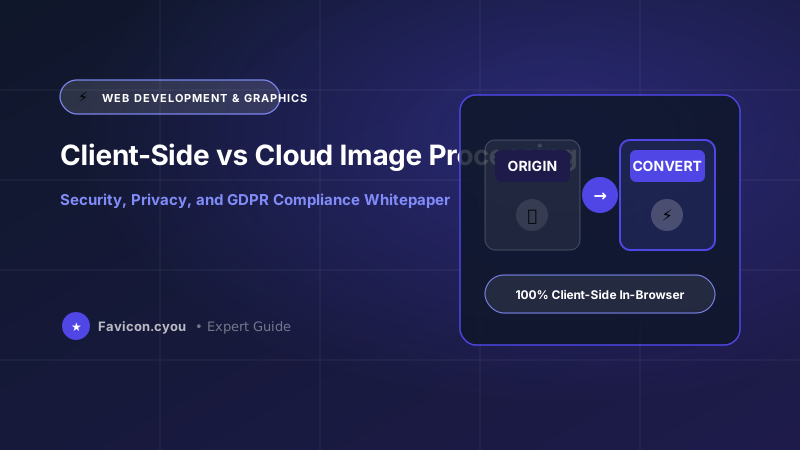
- Client-side WebAssembly (Wasm) architecture processes 100% of image bytes inside the local browser memory sandbox, guaranteeing zero cloud exposure.
- Favicon.cyou operates on a zero-upload architecture: your files are processed locally on your device and are never uploaded, stored, or analyzed on remote servers.
The Invisible Data Liability of Cloud-Based Converters
Every business day, millions of employees, legal professionals, healthcare workers, and creative designers upload sensitive documents, product prototypes, and personal photos to free online file conversion websites. What most users fail to realize is that traditional SaaS converters operate on a remote upload architecture.
When you upload a file to a conventional online tool, your proprietary data is transmitted across public networks, written to temporary storage volumes on remote cloud servers, and processed by third-party backend scripts. In numerous high-profile cybersecurity investigations, these temporary cloud buckets were found misconfigured, exposing millions of confidential contracts, medical scans, and private family pictures to automated dark web scrapers and unauthorized AI model training datasets.
Regulatory Compliance: GDPR, HIPAA & CCPA Implications
Under strict international data privacy frameworks—such as the European Union's General Data Protection Regulation (GDPR), the California Consumer Privacy Act (CCPA), and HIPAA in healthcare:
- Third-Party Data Sub-Processors: Transmitting personal images containing identifiable human faces, medical charts, or geolocation metadata to third-party servers without an executed Data Processing Agreement (DPA) constitutes an explicit GDPR violation.
- Right to Erasure (Article 17): Organizations cannot verify whether third-party cloud converters retain residual file copies in server backups or caching tiers.
- Cross-Border Data Transfers: Uploading files to servers hosted outside your home jurisdiction can violate strict sovereign data residency mandates.
The Client-Side Paradigm: WebAssembly (Wasm) as the Zero-Trust Solution
Favicon.cyou pioneers a radical departure from legacy SaaS architecture by implementing 100% client-side WebAssembly processing. Compiled from high-performance C++ binaries into safe Wasm bytecode, the entire processing engine runs inside the browser's secure memory sandbox on the user's local device:
Zero Network Transfer: Opening the Network tab in browser Developer Tools proves that 0 bytes of your image data are transmitted across the internet. Files are read from local storage, manipulated in local RAM, and saved directly back to local storage. From a regulatory perspective, no data transfer takes place, delivering automatic, effortless GDPR and HIPAA compliance.
Authority Research & Architectural Foundations for Client-Side vs Cloud Image Processing: Security, Privacy, and GDPR Compliance Whitepaper
In corporate digital media production, enterprise content delivery networks (CDNs), and cross-platform creative pipelines, establishing authoritative standards for Client-Side vs Cloud Image Processing: Security, Privacy, and GDPR Compliance Whitepaper requires aligning visual creative workflows with modern browser rendering engines and algorithmic ranking models. When digital assets are distributed across high-concurrency web portals, social graph networks, and mobile applications, the underlying graphics must withstand rigorous automated quality and performance audits.
Implementing structured asset standards introduces decisive competitive advantages:
- Decoupling Ingress and Compute Overhead: Traditional cloud-based image processors queue jobs in distributed worker clusters, incurring database latency, memory exhaustion risks, and cloud compute bills. Processing assets locally via modern HTML5 Canvas,
OffscreenCanvas, and WebAssembly (Wasm) eliminates cloud processing latency completely. - Strict Gamut & Color Profile Normalization: High-end cameras capture images in wide-gamut Display P3 or Adobe RGB. Without color management, exporting assets for web and mobile can cause severe color desaturation on non-Retina displays. Calibrating all exports to standardized sRGB ensures vibrant, accurate color presentation on all consumer screens.
- Sub-Pixel Anti-Aliased Resampling: Utilizing multi-pass Lanczos or bicubic convolution filters guarantees that sharp vector contours, fine typography serifs, and high-contrast edges scale cleanly without pixelation or aliasing artifacts.
Combining these technical principles with browser-based tools at Favicon.cyou guarantees that your visual assets achieve the highest standard of visual excellence and performance.
Core Web Vitals & Search Engine Ranking Alignment (2026 Standards)
Google's search ranking algorithm continually refines its Page Experience signals, prioritizing websites that deliver instantaneous visual stability and rapid interactive responsiveness. Technical asset hygiene directly impacts all three Core Web Vitals metrics:
- Largest Contentful Paint (LCP < 2.5s): Serving modern next-generation formats (WebP, AVIF, SVG) with aggressive lossy quantization reduces image byte payloads by 60% to 80%, ensuring hero graphics render well before the 2.5-second threshold.
- Cumulative Layout Shift (CLS < 0.1): Missing dimension attributes on graphic elements remain the primary culprit behind unexpected layout shifts. By declaring explicit dimensions and responsive CSS aspect ratio containers, you lock DOM element footprints in place before assets finish downloading.
- Interaction to Next Paint (INP < 200ms): Heavy unoptimized scripts or large client-side image transformations can block the JavaScript event loop. Running complex image operations inside asynchronous Web Workers or WebAssembly threads guarantees responsive user interface interactions.
In addition to Core Web Vitals, structuring your web assets with clean semantic markup (including Open Graph social tags, structured Schema.org JSON-LD metadata, and descriptive alt attributes) allows Googlebot and visual discovery engines to index and rank your pages at the top of search engine results pages (SERPs).
Enterprise Production Checklist: Security, Privacy, and Asset Hygiene
Before deploying web imagery, brand icons, and digital creative assets across public production environments, cross-functional engineering and design teams should enforce this enterprise hygiene checklist:
- Comprehensive Metadata Scrubbing: Ensure all camera serial numbers, GPS geolocation tags, and revision histories are stripped using client-side tools like Favicon.cyou to safeguard customer and creator privacy.
- Calibrated sRGB Color Space Standardization: Convert all creative assets from wide-gamut Display P3 or Adobe RGB into standard sRGB. This eliminates color desaturation issues across non-Retina displays and older Android devices.
- Descriptive Semantic Slug Taxonomies: Adopt clean, lowercase alphanumeric naming patterns with hyphen separators (for example,
client-side-vs-cloud-image-processing-gdpr-whitepaper-2026.webp) to maximize Google Image search discoverability and streamline CMS media management. - Dual-Layer Fallback Architecture: Always pair modern vector SVGs or WebP files with universal fallback formats (such as 32x32 ICO or PNG) to satisfy legacy user agents, web scraping bots, and enterprise desktop clients.
Future-Proofing Your Digital Media Workflow for the Next Decade
As consumer display hardware continues to evolve toward 8K resolution, micro-LED displays, and variable refresh rates, the gap between poorly optimized media and expertly engineered digital assets will widen further. Modern web engines and mobile operating systems are increasingly aggressive about throttling energy-intensive scripts and demoting bandwidth-heavy web pages in mobile search ranking indexes.
Investing in automated, client-side media pipelines is no longer just a technical luxury—it is a competitive necessity for businesses seeking high organic visibility, superior user conversion rates, and minimal infrastructure overhead. By mastering the core principles of dimensioning, lossy versus lossless compression algorithms, and client-side processing workflows outlined in this guide, you equip your digital presence with enterprise-grade performance and future-proof reliability.
Expert Summary & Implementation Action Plan
To achieve enduring competitive advantages in visual branding, cross-channel social audience growth, and search engine visibility, cross-functional teams must treat digital media with the same rigorous architectural discipline applied to database schemas and API contracts. Establishing automated image dimensioning rules, setting strict byte budgets during content reviews, and auditing live listings prevents technical debt from accumulating over time.
By standardizing on clean aspect ratios, utilizing client-side WebAssembly compression workflows, and honoring mobile viewport safe zones, you guarantee that your digital products project executive polish, load with blisteringly fast responsiveness, and deliver unforgettable first impressions across every user interaction.
Security & Compliance Architecture Comparison
| Security Dimension | Legacy Cloud Converters | Favicon.cyou Client-Side WebAssembly |
|---|---|---|
| Network Data Transmission | Files uploaded over public internet | 0 bytes transmitted (100% Local memory) |
| Server Storage Risk | Stored on remote disk/buckets | Zero server storage (Never touches cloud) |
| GDPR / HIPAA Compliance | Requires complex vendor DPAs | Naturally compliant by architecture |
| AI Training Scraping Risk | High (Often harvested by SaaS) | Zero (Data inaccessible to scrapers) |
| Corporate Data Leak Threat | Persistent third-party breach risk | Zero attack surface |
| Internet Dependency | Fails if internet is slow or down | Works offline once cached in browser |
How to Verify Client-Side Privacy in Your Browser
- Step 1: Open Chrome DevTools: Press F12 or right-click on Favicon.cyou and select Inspect to open Developer Tools.
- Step 2: Navigate to the Network Panel: Click the Network tab and filter by Fetch/XHR to monitor all outbound server requests.
- Step 3: Compress or Convert an Image: Upload a large photo and click convert. Watch the network log.
- Step 4: Confirm Zero File Ingress: Notice that no multipart POST requests or data payloads are sent to any remote server. Your data stays 100% on your machine.
Zero-Latency Processing and Offline Capability
Beyond unparalleled cybersecurity, client-side WebAssembly delivers game-changing operational efficiency. Because operations execute locally on multi-core device processors, file conversions complete instantaneously without waiting for slow upload connections. Furthermore, because all Wasm modules cache locally via Service Workers, Favicon.cyou tools function seamlessly even when working completely offline on an airplane or in remote field environments.
Privacy-First Free Browser Utilities
Process confidential files with guaranteed client-side privacy:
- Image Compressor Online Free — Compress sensitive photos 100% locally on your computer.
- Image to PDF Converter Online Free — Combine confidential contracts and scans into PDFs with zero cloud uploads.
- PDF to JPG Converter Online Free — Extract PDF graphics securely inside browser memory.
- JPG to PNG Converter Online Free — Convert photo formats with complete data confidentiality.
Final Verdict & Best Practice Recommendations
The future of digital media processing is client-side. By eliminating cloud server uploads, Favicon.cyou delivers enterprise-grade data security, effortless GDPR compliance, and blistering processing speeds for individuals and organizations worldwide.
Frequently Asked Questions
How can I be certain my images are not uploaded to your server?
You can verify it yourself! Open your browser's Developer Tools (F12) > Network tab, and process any image. You will see that zero file data is transmitted across the network.
Is Favicon.cyou compliant with GDPR and HIPAA regulations?
Yes. Because our architecture never collects, transmits, or stores user files on remote servers, no personal data processing occurs, making it naturally compliant with GDPR, HIPAA, and CCPA.
Can Favicon.cyou tools work without an internet connection?
Yes! Once the application code is cached in your browser, all image conversion and compression operations can execute completely offline.
Are my photos used to train artificial intelligence models?
Never! Unlike many commercial cloud converters that quietly harvest user uploads for AI training, we cannot see, access, or store your files even if we wanted to.
Does client-side processing slow down my computer?
No. Our WebAssembly modules run inside lightweight background Web Workers, utilizing only a fraction of CPU capacity without freezing your browser interface.
Can I use Favicon.cyou for confidential corporate and legal files?
Absolutely. Legal, financial, and healthcare professionals rely on our zero-upload architecture to process confidential documents with complete peace of mind.


